User Manual
SIM Card Binding
Version 2.1
-
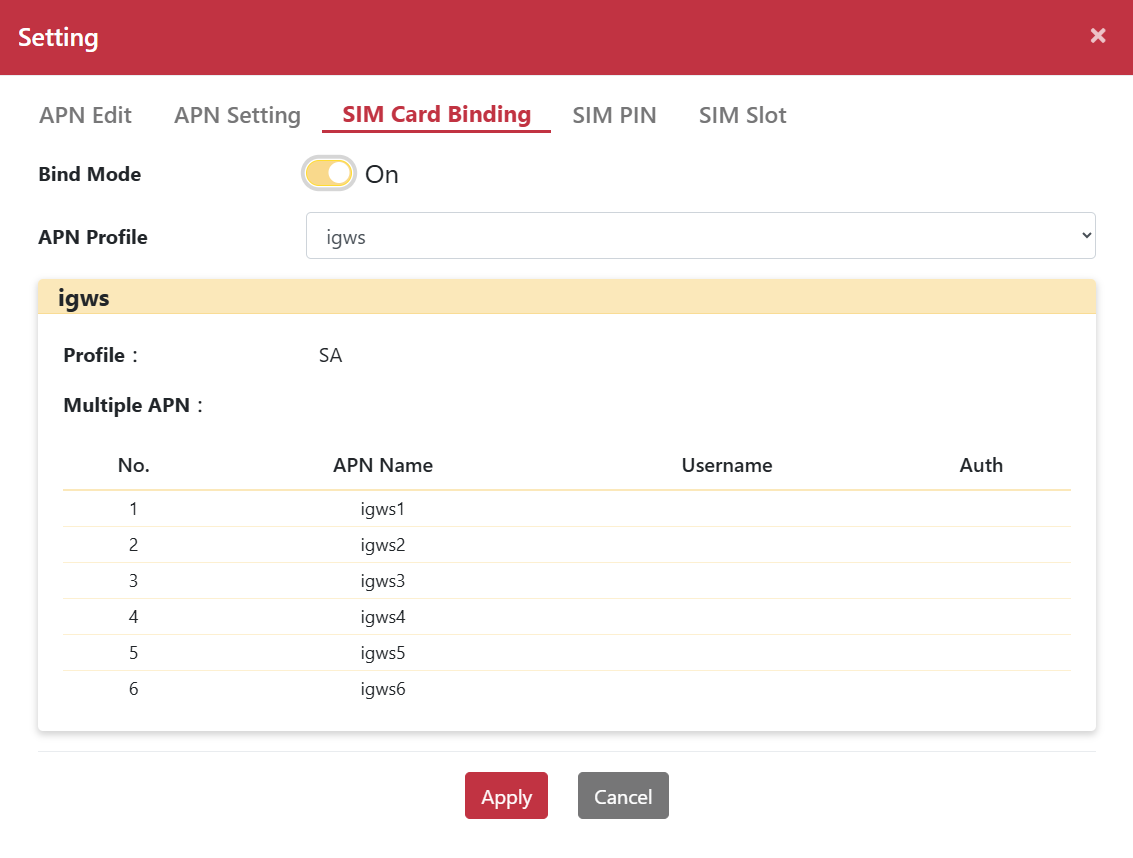
Enable Bind Mode, plug-in SIM card then Apply APN profile.
The APN profile will be bind in the SIM card.
Un-plugin then plug-in SIM card. It will be automatically to Apply APN profile and get connection.
How to Bind SIM card
-
Step 1. Go to Networking > Mobile Network page
-
Step 2. Click “Setting” button and pop-up “Setting” dialog box.
-
Step 3. Select “SIM Card Binding” page.
-
Step 4. Enable Bind Mode.
-
Step 5. Select profile by “Quick Select” drop-down menu.
-
Step 6. Click “Apply“ button.
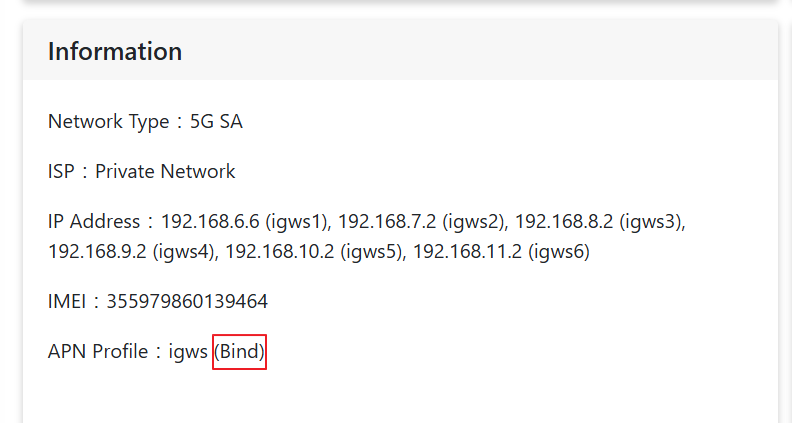
After completing SIM binding, go to the Networking > Mobile Network page to view “Bind” on APN profile.
-
© 2025 O’Prueba. All rights reserved.| Privacy Policy


This website uses cookies to improve user experience. By
clicking agree you consent to all cookies in accordance with our Cookie Policy.